Insert Page Numbers v2
Artboards made their appearance in CS4, and ever since, users have asked the logical question “can I add page numbers to my Artboards?”. The Answers has been a quick “No”….until now, by way of a script.
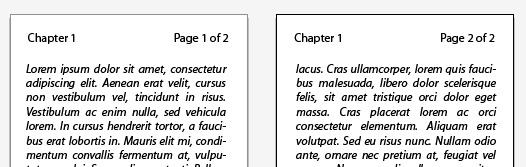
// Illustrator Insert Page Numbers v2 Script
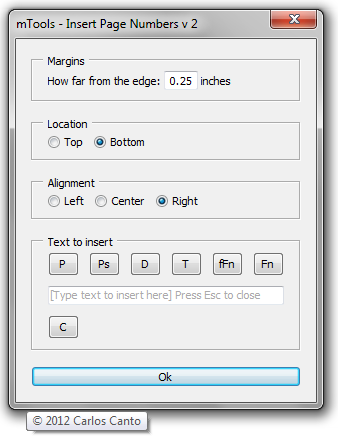
it’s primary use is to insert page numbers but it can insert anything you type in the input box.
there are a few keywords to use to insert date, time, full name, and file name.
to insert
- page number – type – *page*
- total pages – type – *pages*
- date – type – *date*
- time – type – *time*
- full name – type – *fname*
- file name – type – *file*
for example to insert “page 1 of 12” type “page *page* of *pages*” (without quotes).
Note, in this version, pressing “Ok” does not dismiss the dialog. The idea is to be able to enter for example:
Pages on bottom right, and file name on bottom left without having to fire the script twice.
One more thing, press ESC to close the dialog.
Download: insertPageNumbersV2.zip